



Best Anti-Detect Browser for 2026: BitBrowser Review, Pricing & Setup Guide
Арбитраж трафика / Антидетект-браузеры
Managing multiple online accounts securely is now a necessity for social media teams, e-commerce businesses, affiliate marketers, and QA professionals. BitBrowser offers a modern solution with fully isolated browser profiles, realistic device fingerprint simulation, and a powerful Cloud Phone feature for mobile workflows.
This guide covers everything you need to know — what BitBrowser is, its features, pricing, pros and cons, and how to get started.
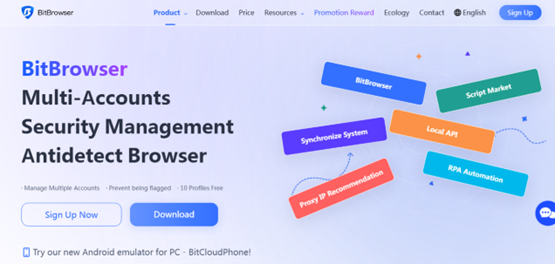
What Is BitBrowser?
BitBrowser is a multi-profile anti-detect browser designed to create completely isolated browsing environments. Each profile behaves like a separate physical device, with its own:
- Operating system
- Browser engine (Chromium or Firefox)
- Timezone and language
- Fonts and WebGL settings
- Sensors and hardware fingerprints
- Network configuration
You can assign a unique proxy to every profile, ensuring full separation of IP addresses and locations.
A standout feature is Cloud Phone, a virtual Android environment that allows you to run mobile apps, simulate device sensors, and access the Google Play Store — ideal for mobile-first workflows.
Who Should Use BitBrowser?
BitBrowser is particularly useful for:
- Cross-border e-commerce teams managing multiple stores
- Social media managers handling multiple accounts
- Affiliate marketers and ad buyers running multi-account campaigns
- QA teams requiring controlled testing environments
- Businesses needing independent browsing sessions for legitimate operations
Key Features
- Multi-Profile Management – Each profile runs in a fully isolated sandbox
- Proxy Support – Supports HTTP, SOCKS5, and SSH proxies (static or rotating)
- Cloud Phone – Virtual Android device with SIM and carrier simulation
- Batch Tools – Bulk profile creation, cookie import/export, and proxy assignment via CSV
- Local API & Automation – Automate workflows using scripts or built-in RPA tools
- Team Management – Add users, assign permissions, and manage quotas
- Advanced Fingerprinting – Customize device parameters to mimic real users
Pricing Overview
- Free Plan – 10 profiles with basic features (permanent)
- Starter ($15/month) – Up to 100 profiles with batch tools and basic automation
- Professional ($69/month) – 300 profiles, API access, and team features
- Enterprise (Custom) – 1,000+ profiles with full automation and priority support
- Cloud Phone – Pay-as-you-go from ~$0.03 per 24 hours
Always check the official BitBrowser website for the latest pricing.
Pros & Cons
Pros
- Permanent free plan — great for beginners and small teams
- Built-in Cloud Phone for mobile automation
- Strong fingerprint customization (Chromium & Firefox support)
- Powerful automation and batch tools
Cons
- Performance may drop with heavy usage
- Misuse can violate platform policies — compliance is essential
- Reliability depends heavily on proxy quality
What Makes BitBrowser Unique?
Unlike standard browsers that share system fingerprints, BitBrowser assigns each profile a unique identity — including fingerprint, IP, and browser environment.
This deep level of isolation makes every profile appear as a completely separate device, which is crucial for safe and scalable multi-account management.
Getting Started: Step-by-Step Setup
1. Download & Register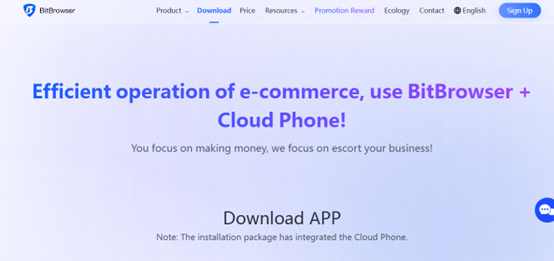
- Visit the official BitBrowser website
- Download for Windows or macOS
- Create an account and verify your email
- Start with the free plan (10 profiles)
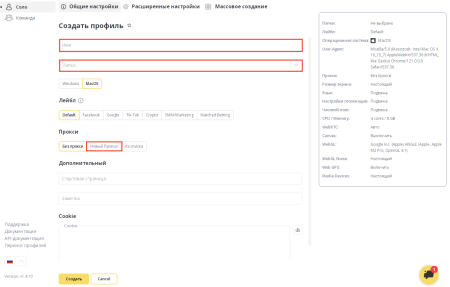
2. Create Your First Profile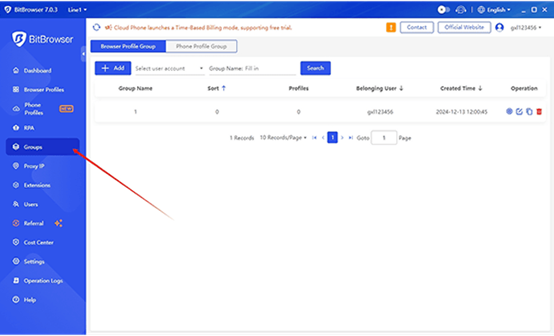
- Click New Profile
- Choose Chromium or Firefox
- Set OS, resolution, timezone, and language
- Save and launch the profile
3. Add a Proxy (Recommended)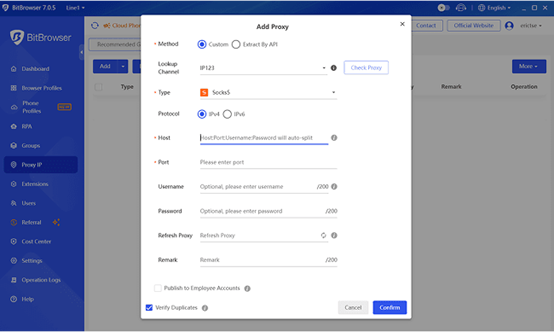
- Go to Profile Settings → Network
- Enter proxy details (host, port, credentials)
- Test IP and location
Tip: Residential or mobile proxies provide the best reliability.
4. Configure Fingerprints
- Use the built-in generator or customize manually
- Test uniqueness with tools like Whoer or AmiUnique
5. Use Cloud Phone
- Create a Cloud Phone profile
- Configure device specs and proxy
- Launch Android environment and install apps
- Pricing starts at ~$0.03 per 24 hours
Scaling with Batch & Team Features
- Create profiles in bulk using CSV templates
- Import/export cookies to maintain sessions
- Add team members and control access
- Allocate Cloud Phone credits to manage costs
Automation with API & RPA
BitBrowser provides a Local API and RPA tools for automation, including:
- Launching profiles automatically
- Visiting URLs and performing actions
- Automating logins and form submissions
- Scraping data
Example workflow (Instagram management):
- Create 5 unique profiles
- Assign a different proxy to each
- Log into one account per profile
- Use Cloud Phone for mobile verification
- Space actions naturally and back up cookies
Choosing the Right Proxy
|
Proxy Type |
Best Use Case |
Notes |
|---|---|---|
|
Mobile/Residential |
Social media, ads |
High trust, higher cost |
|
Datacenter |
Testing |
Fast but easier to detect |
|
Rotating |
Large-scale automation |
Changes IP per session |
Security, Ethics & Compliance
To use BitBrowser responsibly:
- Follow platform terms of service
- Avoid spam, impersonation, or abuse
- Use it for legitimate purposes (testing, account management, ad verification)
- Stay compliant with laws and privacy regulations
Best Practices & Troubleshooting
- Regularly test fingerprints to prevent leaks
- Reduce active profiles if performance drops
- Start small before scaling operations
- Back up cookies and profile data frequently
Final Verdict: Is BitBrowser Worth It?
BitBrowser combines powerful desktop profile isolation, mobile simulation via Cloud Phone, and advanced fingerprint control — all supported by a permanent free plan.
For teams managing multiple online accounts in a secure and ethical way, it stands out as one of the top anti-detect browsers for 2026. With proper setup and quality proxies, it becomes a highly scalable and reliable solution.

-

- redactor
- 09.04.2026
- 1 628
- 0

Скачать текстовый редактор AkelPad 4.7.8 Portable + All Plugins
21-08-2012, 22:59, Программы
Telegram Expert — лучший Telegram-комбайн 2024
25-09-2024, 14:00, Инструменты / Программы
Скрипт автоматического сбора биткойнов BITCOIN BOT
28-09-2019, 22:59, Разное
Скрипт инвестиционной матрицы 500ka Club
29-08-2017, 09:07, HYIP, MLM, МММ
Обзор PeerClick: многофункциональный CPA-трекер
8-08-2024, 15:24, Арбитраж трафика / Инструменты
HTML шаблон хостинга ProHost v1.0
19-12-2016, 00:09, HTML шаблоны




Loading...
Внимание! Данный материал предоставлен сайтом DirectoryWeb.ru исключительно в ознакомительных целях. Администрация не несет ответственности за его содержимое






Отзывы